

这是一个创建于 1240 天前的主题,其中的信息可能已经有所发展或是发生改变。
veinmind-runner 镜像定时启动脚本,可使用 crontab 语法配置定时执行扫描镜像
安装
- 确定本地运行 Kubernetes 服务
[root@localhost veinmind]# kubectl get pods -n kube-system NAME READY STATUS RESTARTS AGE calico-kube-controllers-6d75fbc96d-2d67s 1/1 Running 0 48m calico-node-47fzd 1/1 Running 0 48m calico-typha-6576ff658-xsbbv 1/1 Running 0 48m ...... - 安装 helm
wget https://get.helm.sh/helm-v3.9.0-linux-amd64.tar.gz tar -zxvf helm-v3.9.0-linux-amd64.tar.gz mv linux-amd64/helm /usr/local/bin/helm [root@localhost veinmind]# helm The Kubernetes package manager Common actions for Helm: - helm search: search for charts - helm pull: download a chart to your local directory to view - helm install: upload the chart to Kubernetes - helm list: list releases of charts - 进入
helm_chart\veinmind\:
# 安装 [root@localhost veinmind]# helm install veinmind . # 卸载 [root@localhost veinmind]# helm uninstall veinmind 配置解析
项目主要配置信息位于values.yaml:
jobs: ### REQUIRED ### - name: veinmind-runner image: repository: veinmind/veinmind-runner tag: latest imagePullPolicy: IfNotPresent schedule: "0 */8 * * *" ### 扫描周期配置 failedJobsHistoryLimit: 1 successfulJobsHistoryLimit: 3 concurrencyPolicy: Allow restartPolicy: OnFailure ### OPTIONAL ### command: ["/tool/entrypoint.sh"] ### 程序入口点 args: - "scan-host" ### 运行参数 nodeSelector: ### 节点选择,可以依据标签将该任务推送到节点 类似的还有 nodeName,依据名称选择节点 beta.kubernetes.io/arch: amd64 resources: ### 资源配置,1000m == 1 个 CPU 单元,相当于 1 个物理 CPU 核,或 1 个虚拟核 limits: cpu: 1000m memory: 256Mi requests: cpu: 1000m memory: 256Mi volumes: - name: files-mount hostPath: path: / - name: sock-path hostPath: path: /var/run/docker.sock volumeMounts: - name: files-mount mountPath: /host - name: sock-path mountPath: /var/run/docker.sock 获取节点标签:
[root@localhost veinmind]# kubectl get nodes --show-labels NAME STATUS ROLES AGE VERSION LABELS 192.168.136.146 Ready control-plane,etcd,master,worker 12h v1.22.10 beta.kubernetes.io/arch=amd64,beta.kubernetes.io/os=linux,kubernetes.io/arch=amd64,kubernetes.io/hostname=192.168.136.146,kubernetes.io/os=linux,node-role.kubernetes.io/control-plane=,node-role.kubernetes.io/etcd=,node-role.kubernetes.io/master=,node-role.kubernetes.io/worker=,node.kubernetes.io/exclude-from-external-load-balancers= 运行截图
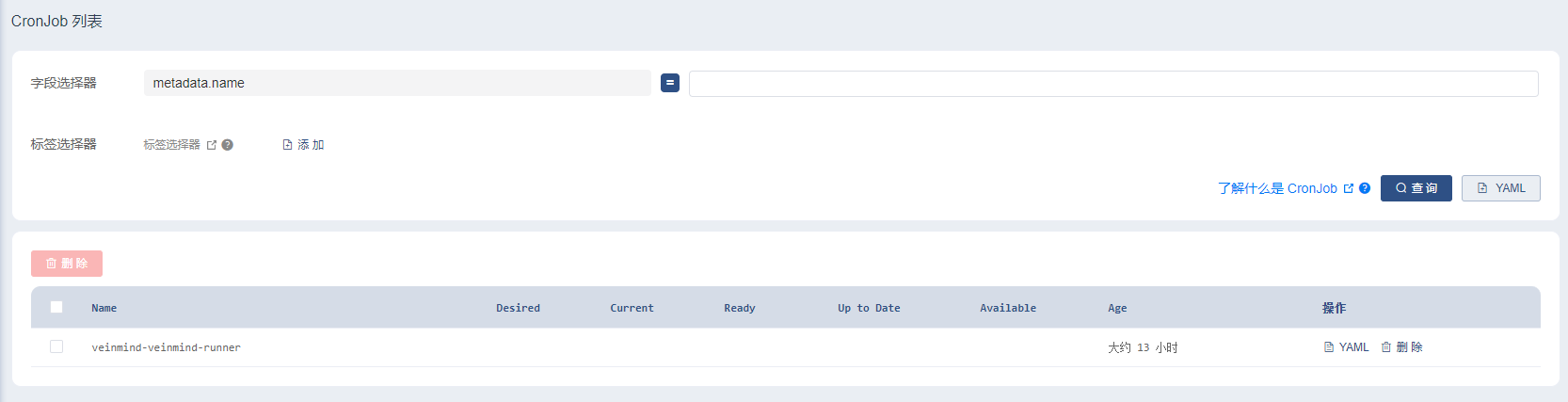

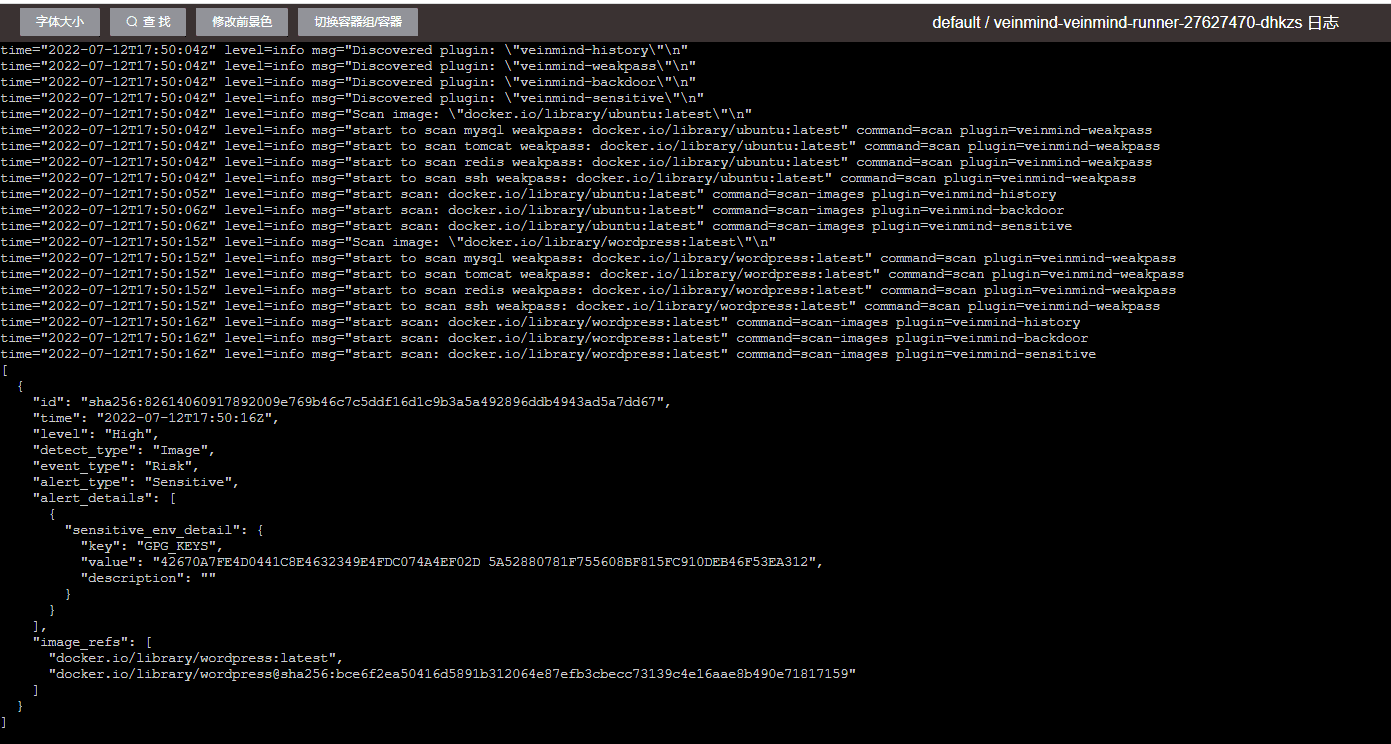
扫描结果请查询日志
目前尚无回复
 Select Language