
NGINX NGINX Trac 3rd Party Modules Security Advisories CHANGES OpenResty ngx_lua Tengine 在线学习资源 NGINX 开发从入门到精通 NGINX Modules ngx_echo

这是一个创建于 1978 天前的主题,其中的信息可能已经有所发展或是发生改变。
在阿里云申请了域名、空间、绑定了域名,申请了 ssl,通过浏览器不能正常访问。不知道怎么而回事? 下面是检测端口的操作截图。 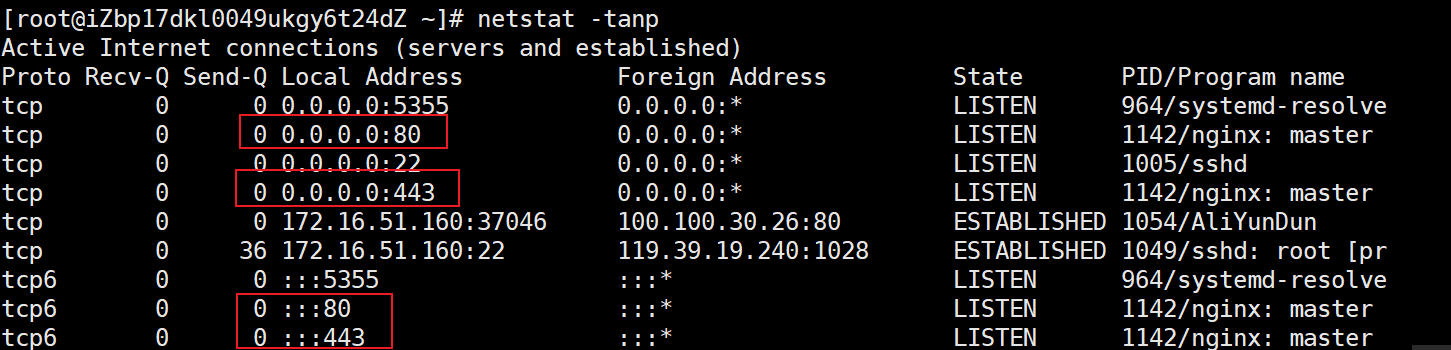 通过命令窗口检查域名绑定情况。我的域名是:xxzx.club
 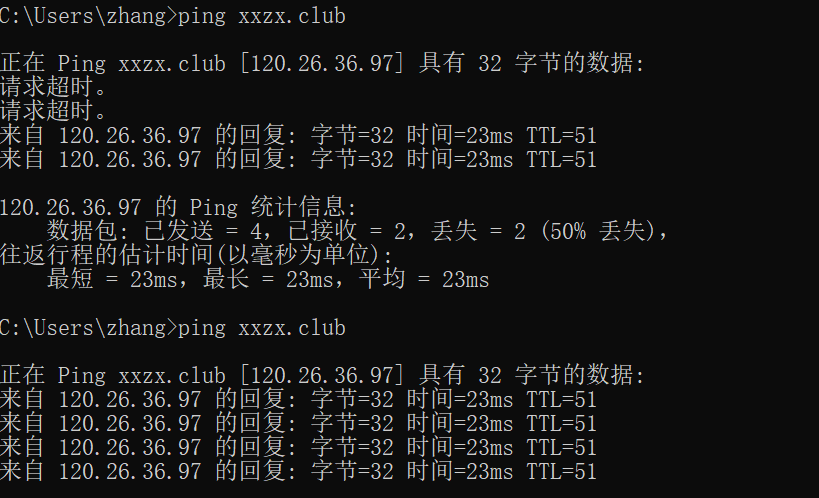 下面是 nginx.conf 的设置
vim /etc/nginx/nginx.conf # For more information on configuration, see: # * Official English Documentation: http://nginx.org/en/docs/ # * Official Russian Documentation: http://nginx.org/ru/docs/ user nginx; worker_processes auto; error_log /var/log/nginx/error.log; pid /run/nginx.pid; # Load dynamic modules. See /usr/share/doc/nginx/README.dynamic. include /usr/share/nginx/modules/*.conf; events { worker_connections 1024; } http { log_format main '$remote_addr - $remote_user [$time_local] "$request" ' '$status $body_bytes_sent "$http_referer" ' '"$http_user_agent" "$http_x_forwarded_for"'; access_log /var/log/nginx/access.log main; sendfile on; tcp_nopush on; tcp_nodelay on; keepalive_timeout 65; types_hash_max_size 2048; include /etc/nginx/mime.types; default_type application/octet-stream; # Load modular configuration files from the /etc/nginx/conf.d directory. # See http://nginx.org/en/docs/ngx_core_module.html#include # for more information. include /etc/nginx/conf.d/*.conf; server { listen 80 default_server; listen [::]:80 default_server; server_name xxzx.club www.xxzx.club; root /usr/share/nginx/html; # Load configuration files for the default server block. include /etc/nginx/default.d/*.conf; rewrite ^(.*) https://$host$1 permanent; location / { root /usr/share/nginx/html; index index.html; } error_page 404 /404.html; location = /40x.html { } error_page 500 502 503 504 /50x.html; location = /50x.html { } } # Settings for a TLS enabled server. # server { listen 443 ssl http2 default_server; listen [::]:443 ssl http2 default_server; server_name xxzx.club www.xxzx.club; root /usr/share/nginx/html; ssl on; ssl_certificate /etc/nginx/cert/www.xxzx.club.pem; ssl_certificate_key /etc/nginx/cert/www.xxzx.club.key; ssl_session_cache shared:SSL:1m; ssl_session_timeout 10m; # ssl_ciphers PROFILE=SYSTEM; #rewrite ^(.*)$ https://www.xxzx.club permanent; ssl_prefer_server_ciphers on; ssl_ciphers ECDHE-RSA-AES128-GCM-SHA256:ECDHE:ECDH:AES:HIGH:!NULL:!aNULL:!MD5:!ADH:!RC4; ssl_protocols TLSv1 TLSv1.1 TLSv1.2; # Load configuration files for the default server block. include /etc/nginx/default.d/*.conf; location / { root /usr/share/nginx/html; index index.html; } error_page 404 /404.html; location = /40x.html { } error_page 500 502 503 504 /50x.html; location = /50x.html { } } } 在浏览器中输入 https://xxzx.club 或者 https://www.xxzx.club 都会出现下面的无法打开的界面。 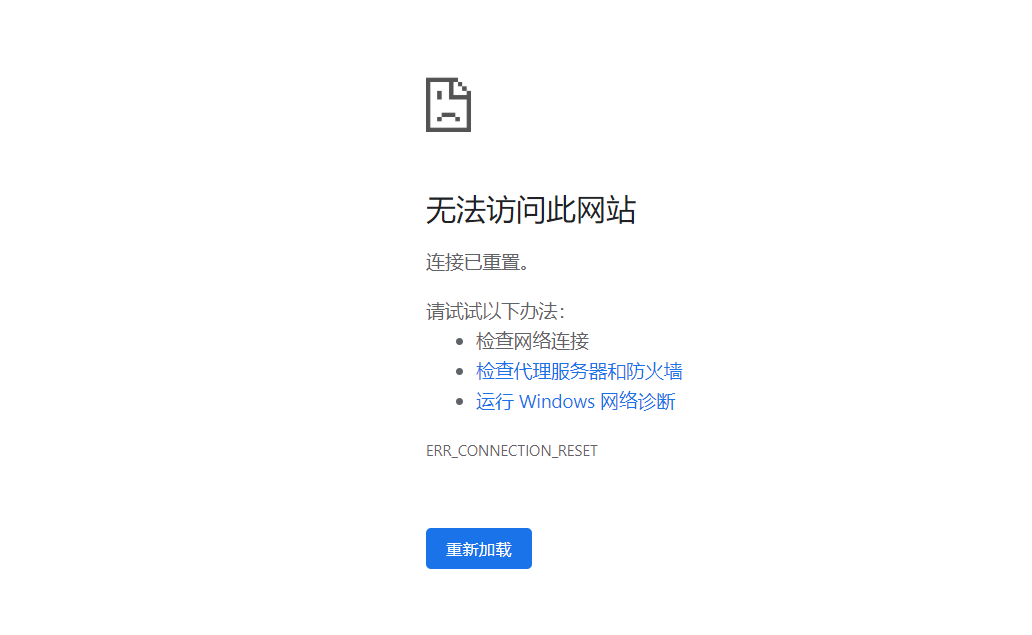
不知道错在哪里地方,请大家指教。谢谢。
 | 1 xbchaonba 2020-07-25 10:37:08 +08:00 阿里云控制台看下安全策略里面有没有开放 80 和 443 端口 |
 | 2 imnpc 2020-07-25 10:41:06 +08:00 国内服务器 域名备案了吗 |
| 3 imnpc &nsp;2020-07-25 10:42:25 +08:00 网站暂时无法访问 该网站未根据工信部相关法律进行备案 |
 | 4 bruce0 2020-07-25 10:57:28 +08:00 1.去阿里云的控制台看一下端口有没有打开 2.域名是否备案了. 可以给 Nginx 加个配置,直接用 ip 访问以下试试 3.看一下 Nginx 的 log,看一下 Nginx 有没有收到请求 |
 | 5 zhangsan5421 OP @xbchaonba 已经确定在安全策略下开通了 80 和 443 端口。 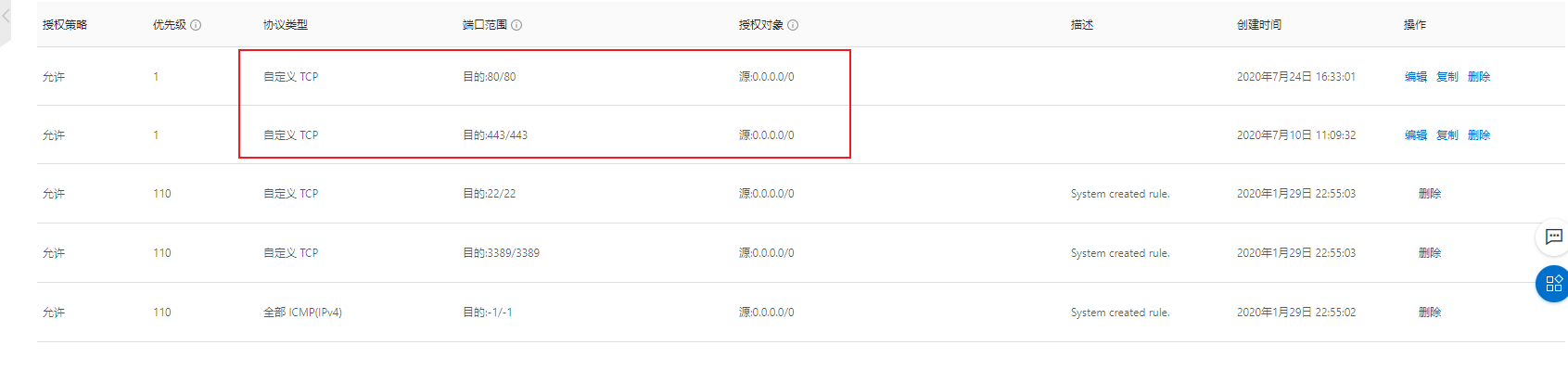 |
 | 6 leoleoasd 2020-07-25 11:01:45 +08:00 域名没有备案, 被 sni 阻断了 |
| 7 zhangsan5421 OP @imnpc 第一次开通网站,网站备案,我以为只有域名备案就可以了。还要网站备案。现在已经完成备案。期待下周能收到备案好。 |
| 8 zhangsan5421 OP @leoleoasd 谢谢。不知道备案的重要性。自己太 low 了 |
 | 9 lysS 2020-07-25 11:37:17 +08:00 机器换成香港的,就不用备案 |
 | 10 shenwu35 2020-07-25 16:40:11 +08:00 我是看楼主头像进来的,hot |
 | 11 FurN1 2020-07-25 16:53:09 +08:00 via iPhone 备案真的麻烦…… |
 | 12 RickyC 2020-07-25 17:28:30 +08:00 我打开后显示需要备案. |
 | 13 opengps 2020-07-25 17:32:31 +08:00 我来了,不过正确答案已经出现在一楼,我就不重复了 我补充下别的楼层的小偏差:不备案不应该是打不开,而是强制跳转提示备案 |
 | 14 yingfengi 2020-07-25 17:53:20 +08:00 正如楼上所说,应该是没有放通端口,如果是备案原因是会跳转备案页面。 虽然看回复,安全策略开了 80 443,但是是否在该安全组加入了对应 ecs 实例,否则实际还是拒绝的 |
| 15 yingfengi 2020-07-25 17:56:42 +08:00 刚才试了下,https 方式访问 IP,是红帽的 nginx 页面。 https+域名方式访问建立安全连接失败 连接到 xxzx.club 时发生错误。PR_CONNECT_RESET_ERROR 由于不能验证所收到的数据是否可信,无法显示您想要查看的页面。 建议向此网站的管理员反馈这个问题。 所以估计是配置有问题。 ssl_certificate /etc/nginx/cert/www.xxzx.club.pem; ssl_certificate_key /etc/nginx/cert/www.xxzx.club.key; 证书文件有在吗?就算是自签发的证书 |
 | 16 realpg PRO 被信安系统拦截了 十有八九是未备案域名或者没在阿里云做接入 |
 | 17 xiri 2020-07-25 18:48:18 +08:00 @opengps 阿里云现在不备案的话,http 访问会出现备案提示,https 访问就是这样“连接已重置”,你自己去试一下就知道了 |
| 19 xiri 2020-07-25 18:52:46 +08:00 @yingfengi 看我上面的回复,阿里云现在不备案的话使用域名+80 端口 http 访问会出现备案拦截页面,域名+443 端口 https 访问就是这样被 sni 阻断,显示“连接已重置”。 楼主的域名的解析记录现在还在,你可以自己试一下手动用 http 访问就能看到备案拦截页面了 |
 | 20 huanxianghao 2020-07-25 20:04:28 +08:00 1 、有可能没备案完成 2 、查看下网站目录的所有者是不是 nginx |
| 21 zhangsan5421 OP @lysS 下次找个国外的服务器。 |
| 22 zhangsan5421 OP @shenwu35 看样子第一印象很重要。 |
| 23 zhangsan5421 OP @IgniteWhite 已经申请备案了。希望周一或者周二能完成。 |
| 24 zhangsan5421 OP @xiri 我用的是 chrome 浏览器。http 之后会改成 https 了。我现在申请备案了。希望顺利通过。 |
| 25 zhangsan5421 OP 我现在知道网站备案真的麻烦。今天收到阿里的电话,阿里通过了,还要到管理局审核。又要等待。 |
 | 26 zhensjoke 2020-07-26 21:48:06 +08:00 应该是安全组的问题...备案应该有阻断提示的。 |
 Select Language