

https://github.com/uglyer/wechat_jump_ai_kotlin
wechat_jump_ai_kotlin
微信小游戏 跳一跳 kotlin AI 自动寻找开始跳的坐标,目标坐标.
成果
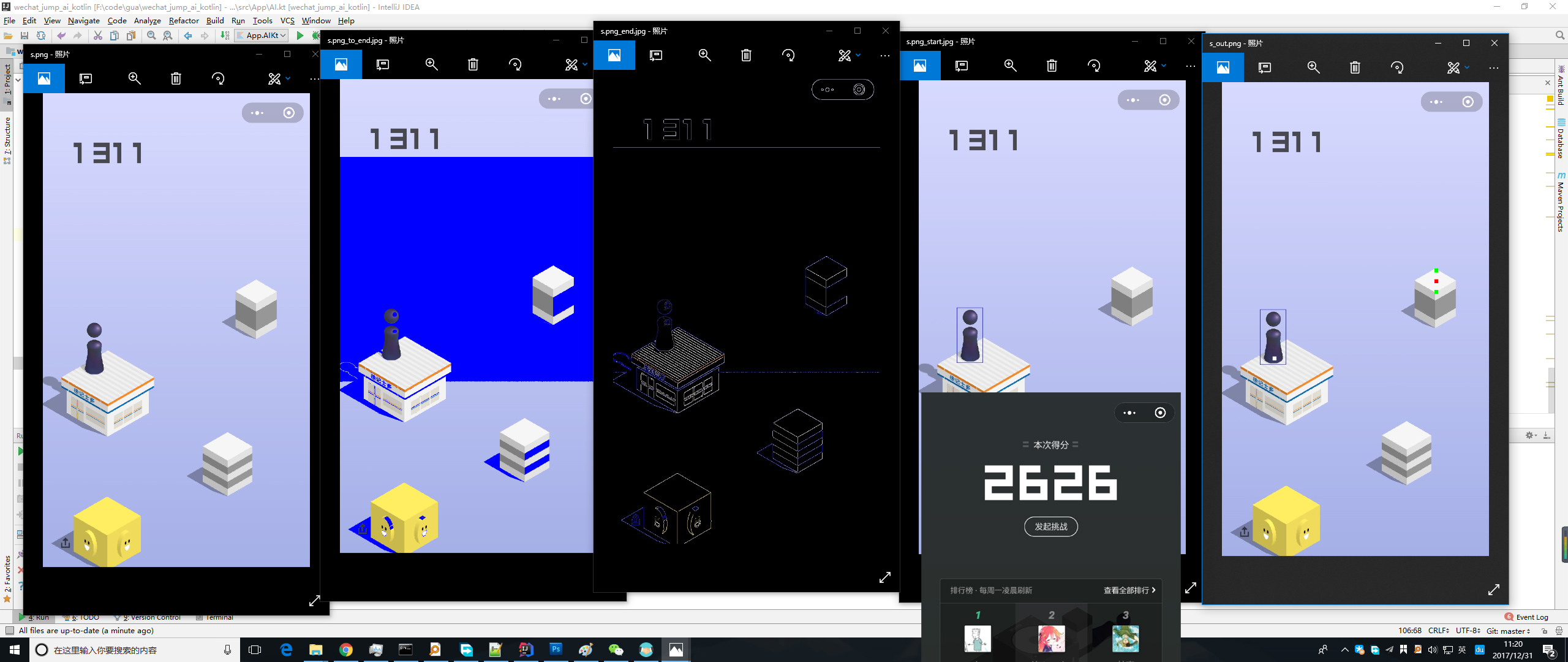
跳一跳
微信小程序可以玩游戏了,我们来破解一下《跳一跳》这个官方出品的小游戏吧。
思路
用 usb 调试安卓手机,用 adb 截图并用鼠标测量距离,然后计算按压时间后模拟按压。
$ adb shell input swipe <x1> <y1> <x2> <y2> [duration(ms)] (Default: touchscreen) # 模拟长按 $ adb shell screencap <filename> # 保存截屏到手机 $ adb pull /sdcard/screen.png # 下载截屏文件到本地 - 得到手指按的时间 t
- 时间 = 距离 / 速度(常量) t = L / k
- L = p2 - p1
- 获取到起始点和结束点的坐标
源码
开发环境:Kotlin, IetelliJ IDEA
https://github.com/uglyer/wechat_jump_ai_kotlin
使用方法
- 在电脑上下载好 adb
- 打开安卓手机的 usb 调试模式并授权连接的电脑
- 打开微信跳一跳,并点击开始
- 在
Constans.kt中配置好 adb 路径与截图路径,运行 - 会自动识别完成跳跃
参考
https://github.com/easyworld/PlayJumpJumpWithMouse https://github.com/iOSDevLog/JumpJump


 2
2


 Select Language