
NGINX NGINX Trac 3rd Party Modules Security Advisories CHANGES OpenResty ngx_lua Tengine 在线学习资源 NGINX 开发从入门到精通 NGINX Modules ngx_echo

这是一个创建于 3227 天前的主题,其中的信息可能已经有所发展或是发生改变。
在一台服务器设置了 Nginx 多站点,但是访问这些站点的域名均无法访问,错误如下图: 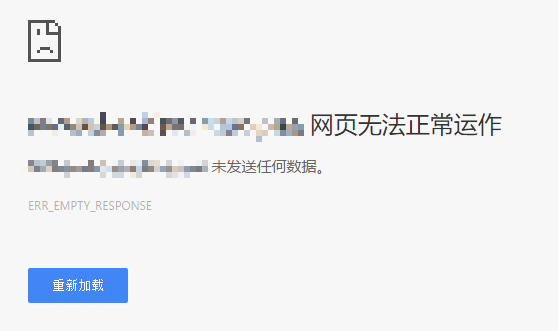
通过 ip 会跳转到其中一个站点,具体表现为:
全部配置开启的情况下所有域名无法访问, ip 访问显示的是siteD 去除 siteD 后跳转 siteB,去除 siteB 后 404 ,去除 siteB 后跳转 siteA ,去除 siteA 后跳转 siteC
检查了半天还是不知道是啥问题,请各位大神帮忙排查下 /w\
以下为具体配置文件:
nginx.conf
user nginx; worker_processes 1; error_log /var/log/nginx/error.log warn; pid /var/run/nginx.pid; events { worker_connections 1024; } http { include /etc/nginx/mime.types; default_type application/octet-stream; log_format main '$remote_addr - $remote_user [$time_local] "$request" ' '$status $body_bytes_sent "$http_referer" ' '"$http_user_agent" "$http_x_forwarded_for"'; access_log /var/log/nginx/access.log main; sendfile on; #tcp_nopush on; server_tokens off; underscores_in_headers off; keepalive_timeout 65; #gzip on; include /etc/nginx/conf.d/*.conf; } default.conf
server { listen 80; server_name _; location / { return 404; } } siteA.conf
server { listen 80; server_name siteA.domain.com; access_log /var/log/nginx/siteA.access.log main; location / { root /usr/share/nginx/html/siteA; index index.php index.html index.htm; } error_page 500 502 503 504 /50x.html; location = /50x.html { root /usr/share/nginx/html; } location ~ \.php$ { #try_files $uri =404; #root /usr/share/nginx/html/siteA; fastcgi_split_path_info ^(.+.php)(/.+)$; fastcgi_pass unix:/dev/shm/php5.6-fpm.sock; fastcgi_param SCRIPT_FILENAME $document_root$fastcgi_script_name; fastcgi_index index.php; include fastcgi_params; } } siteB.conf
server { listen 80; server_name siteB.domain.com; access_log /var/log/nginx/siteB.access.log main; location / { root /usr/share/nginx/html/siteB; index index.php index.html index.htm; } error_page 500 502 503 504 /50x.html; location = /50x.html { root /usr/share/nginx/html; } location ~ \.php$ { try_files $uri =404; root /usr/share/nginx/html/siteB; fastcgi_split_path_info ^(.+.php)(/.+)$; fastcgi_pass unix:/dev/shm/php5.6-fpm.sock; fastcgi_param SCRIPT_FILENAME $document_root$fastcgi_script_name; fastcgi_index index.php; include fastcgi_params; } } siteC.conf
server { listen 80; server_name siteC.domain.com; access_log /var/log/nginx/siteC.access.log main; location / { root /usr/share/nginx/html/siteC/; index index.php index.html index.htm; } error_page 500 502 503 504 /50x.html; location = /50x.html { root /usr/share/nginx/html; } location ~ \.php$ { try_files $uri =404; root /usr/share/nginx/html/siteC/; fastcgi_split_path_info ^(.+.php)(/.+)$; fastcgi_pass unix:/dev/shm/php5.6-fpm.sock; fastcgi_param SCRIPT_FILENAME $document_root$fastcgi_script_name; fastcgi_index index.php; include fastcgi_params; } } siteD.conf
server { listen 80; server_name siteD.domain.com; access_log /var/log/nginx/siteD.access.log main; location ~ ^/(baidu|webscan|yx_scan) { root /usr/share/nginx/siteD; } location / { proxy_set_header Host $host; proxy_set_header X-Real-IP $remote_addr; proxy_set_header X-Forwarded-For $proxy_add_x_forwarded_for; proxy_set_header User-Agent $http_user_agent; proxy_set_header Accept-Encoding ""; proxy_redirect off; proxy_pass http://127.0.0.1:8080/siteD/; rewrite ^/WebGoat/(.*)$ /$1 last; } error_page 500 502 503 504 /50x.html; location = /50x.html { root /usr/share/nginx/html; } } Nginx Info (使用 apt 安装, mainline)
nginx version: nginx/1.11.9 built by gcc 4.8.4 (Ubuntu 4.8.4-2ubuntu1~14.04.3) built with OpenSSL 1.0.1f 6 Jan 2014 TLS SNI support enabled configure arguments: --prefix=/etc/nginx --sbin-path=/usr/sbin/nginx --modules-path=/usr/lib/nginx/modules --conf-path=/etc/nginx/nginx.conf --error-log-path=/var/log/nginx/error.log --http-log-path=/var/log/nginx/access.log --pid-path=/var/run/nginx.pid --lock-path=/var/run/nginx.lock --http-client-body-temp-path=/var/cache/nginx/client_temp --http-proxy-temp-path=/var/cache/nginx/proxy_temp --http-fastcgi-temp-path=/var/cache/nginx/fastcgi_temp --http-uwsgi-temp-path=/var/cache/nginx/uwsgi_temp --http-scgi-temp-path=/var/cache/nginx/scgi_temp --user=nginx --group=nginx --with-compat --with-file-aio --with-threads --with-http_addition_module --with-http_auth_request_module --with-http_dav_module --with-http_flv_module --with-http_gunzip_module --with-http_gzip_static_module --with-http_mp4_module --with-http_random_index_module --with-http_realip_module --with-http_secure_link_module --with-http_slice_module --with-http_ssl_module --with-http_stub_status_module --with-http_sub_module --with-http_v2_module --with-mail --with-mail_ssl_module --with-stream --with-stream_realip_module --with-stream_ssl_module --with-stream_ssl_preread_module --with-cc-opt='-g -O2 -fstack-protector --param=ssp-buffer-size=4 -Wformat -Werror=format-security -Wp,-D_FORTIFY_SOURCE=2 -fPIC' --with-ld-opt='-Wl,-Bsymbolic-functions -Wl,-z,relro -Wl,-z,now -Wl,--as-needed -pie' 第 1 条附言 2017-02-22 15:26:24 +08:00
目前ip访问结果为404,其余站点已经无法访问,具体error log在3楼,default.conf更新为如下:
server { listen 80 default_server; server_name _; return 404; } 第 2 条附言 2017-02-22 22:38:59 +08:00
原因查明为域名未备案,被机房屏蔽,感谢各位解答。
 | 1 ovear 2017-02-22 11:33:01 +08:00 via Android  1 1 empty response 的话提供 error log 才知道 访问 ip 访问的网站为 server 域中的第一个配置 |
 | 2 Showfom PRO 问问机房有没有设置白名单 |
 | 3 yujizmq OP @ovear Error Log: https://paste.ee/p/NgBkp |
 | 5 whx20202 2017-02-22 14:18:05 +08:00 1 |
 | 6 codespots 2017-02-22 14:33:34 +08:00 原来你们都是这样配置 Nginx 的,难道我之前的配置方法一直是错的?你都没做 proxy_pass ,只有 SiteD 做了这个,所以访问了 siteD?正常的配置不应该是先配置 N 个非 80 端口的站点,然后再配置 listen 80 servername ,将请求 proxy_pass 到对应的非 80 端口的站点上? |
| 7 codespots 2017-02-22 14:38:09 +08:00 我没试过这种在一个配置里完成站点和反向代理的这种方式,我一般是把站点的规则和反向代理的规则分开写 |
 | 10 predator 2017-02-22 15:12:34 +08:00 1 "无法访问"在 log 中显示为什么具体错误?这个需要再明确一点 和我平时习惯的配置最明显的不同是你第一段 catch all 设置 listen 命令后面没有加上 default_server 标记,官方文档的例子: In catch-all server examples the strange name “_” can be seen: server { listen 80 default_server; server_name _; return 444; } 如果你加上了 default_server ,而 ip 地址不在后面任何一个 server 里面,那这一段肯定能够 catch 到并发回 444 |
 | 11 akira 2017-02-22 15:17:15 +08:00 10 楼说的对 |
| 13 yujizmq OP @predator 具体的 error log 在 3 楼, default_server 后来打上了,目前情况为 ip 访问 404 ,其余 url 依旧不行 |
 | 14 luojiyin7 2017-02-22 15:25:08 +08:00 没对应日志,不好分析。 |
| 18 yujizmq OP @luojiyin87 需要什么日志我都可以提供, error log 在 3 楼已经提供 |
 | 19 sundong 2017-02-22 20:01:06 +08:00 1 留个邮箱说说 nginx 略懂一点 |
 Select Language